Project Description
A custom block-based CMS built from scratch that allows non-technical users to create flexible pages while maintaining a structured, queryable data model.
When I tell people I built a custom Headless CMS from scratch, the first question is always: "Why? Why not just use WordPress, Contentful, or Strapi?"
It’s a fair question. Building a CMS from scratch is usually a terrible idea—unless you have a very specific, painful problem that off-the-shelf tools simply cannot solve.
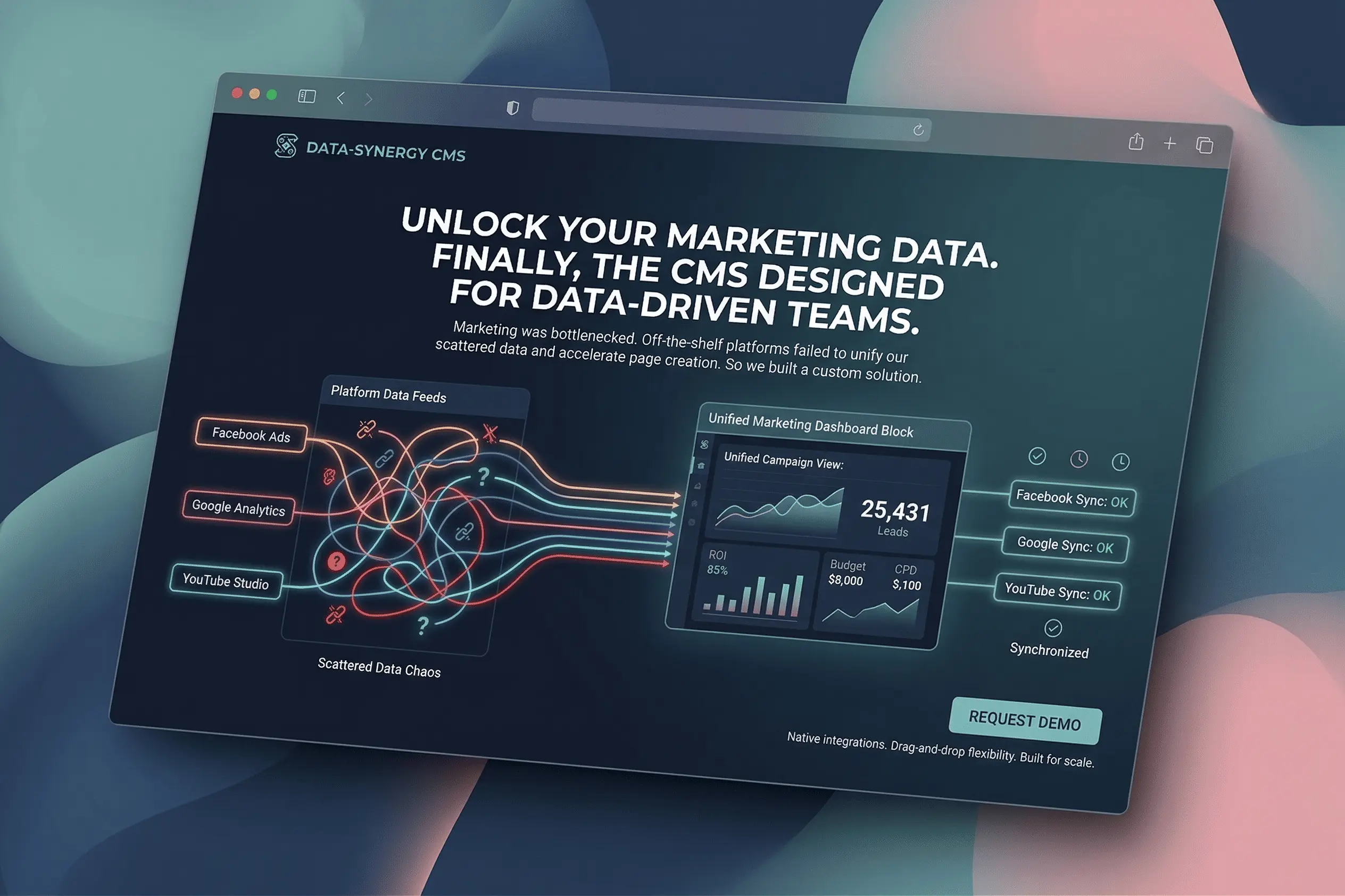
For us, the problem was the marketing team. They were entirely bottlenecked by engineering, and their data was scattered across the internet.
They didn't just need a place to write text. They needed a system where they could:
- Build entirely custom landing pages on the fly (before this, every new page required an agonizing wait for a developer ticket).
- Migrate their vast archive of old blogs into a faster, modern architecture.
- The dealbreaker: Create incredibly specific, custom data charts (ROI, Budget, CPD) with custom metrics and custom layouts, directly within their content.
They were tired of opening five different tabs—Facebook Ads, Google Analytics, YouTube Studio—just to show the CEO how a campaign was performing during a meeting. They wanted a single, unified dashboard they could customize and present directly. No existing CMS could natively aggregate live marketing data into flexible, drag-and-drop dashboard components out of the box.
So, I built one.

The Balancing Act: Flexibility vs. Structure
From day one, this project was an exercise in balance. I needed to hand total visual control over to the marketing team, while still maintaining strict technical structure for the developers.
To achieve this, I outlined several non-negotiable goals:
- Allow non-technical users to build customizable pages and dashboards without writing a single line of code.
- Support a wide variety of content types, including blogs, rich text, and dynamic data-driven charts.
- Keep the content schema highly flexible but still efficiently queryable.
- Completely avoid tight coupling between the frontend layout and the backend data.
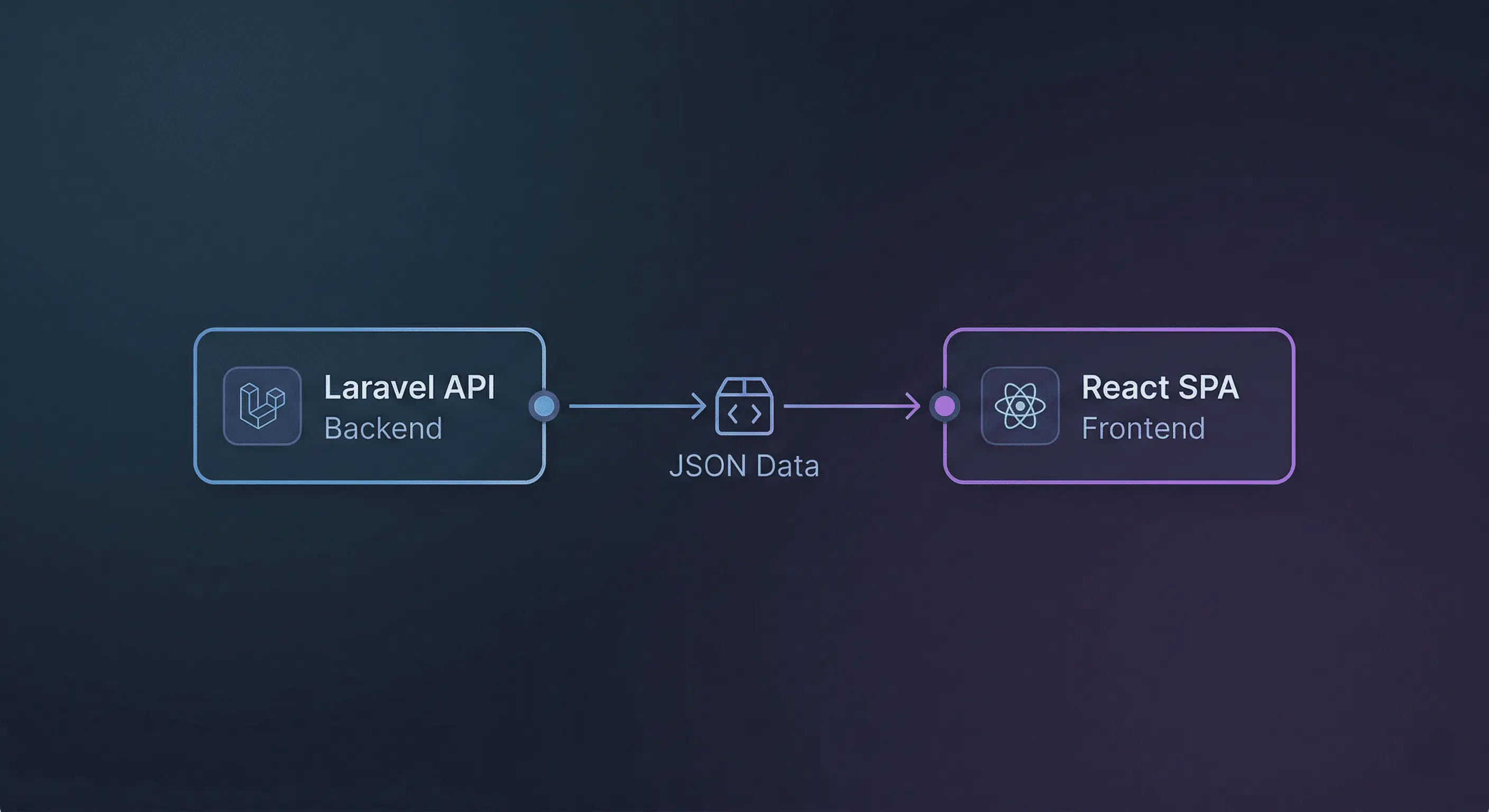
To pull this off, I built a headless system. The backend is powered by Laravel, which handles all the heavy lifting of content modeling, API interactions (pulling in that live Facebook/Google data), and permissions. The frontend relies on React, taking responsibility for rendering dynamic layouts based directly on the structured JSON definitions provided by the RESTful APIs.
The Core Challenge: Surviving the Database
You might think the hardest part of building a custom CMS is designing the UI. It wasn't. The real final boss of this project was the database.
Here is the fundamental disconnect: users don’t think in tables or JSON schemas; they think visually in blocks, widgets, and layouts. However, the backend system still needs to query data efficiently, version the content, and above all else, avoid turning into a massive, unmaintainable JSON blob. The ultimate challenge was designing an architecture that felt incredibly forgiving to marketing, but remained remarkably strict internally.
The Solution: Content as Structured Blocks
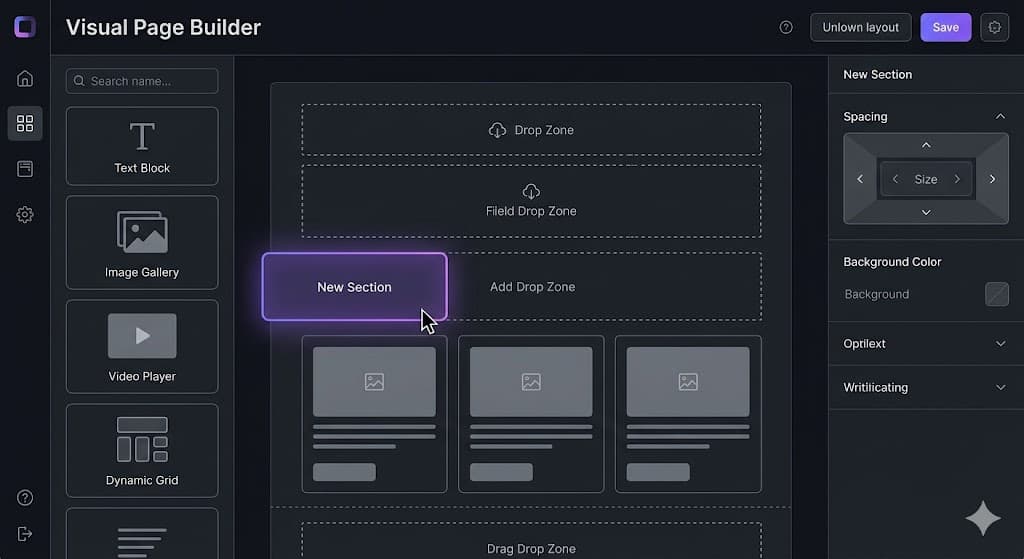
Instead of locking users into hardcoded page templates, this CMS uses a strictly block-based content model.
Every single page is composed of ordered blocks. Each block contains:
- A defined type (such as rich text, an image gallery, or a Custom ROI Chart).
- A structured data schema.
- Specific configuration metadata (e.g., "Pull data from Google Ads for the last 30 days").
This architecture gives them the freedom to freely rearrange content on a page, while keeping the underlying data completely predictable for the application.
On the frontend, React dynamically renders these pages based entirely on the block definitions returned from the API. This brilliantly decouples the content structure from the presentation. The biggest win? When marketing inevitably asks for a brand new type of chart, I can introduce a new block type without needing to refactor any existing pages.
Mixing Editorial and Live Data
This is where the system truly shined for the executive team. Beyond just static text and images, the CMS natively supports data-driven blocks.
When the marketing team needs to brief the CEO, they don't open Google or Facebook anymore. They drag a "Live Chart" block onto a page, select their metrics (Budget, CPD, etc.), and the CMS fetches that data dynamically via background APIs. This made it incredibly easy to seamlessly mix standard editorial blog content with live, updating performance data, all without hardcoding any chart logic directly into the pages.
Keeping It Safe: Permissions and History
Of course, with great flexibility comes the need for great security. Content editing is heavily protected through role-based permissions, ensuring that only authorized users can modify sensitive financial charts or high-traffic landing pages.
The system also meticulously tracks content changes. This makes it possible to easily roll back updates, review historical versions of a page, and drastically reduce the risk of accidental data loss when someone drags an important layout block into the trash.
Lessons Learned and What's Next
Building this CMS forced me to think deeply about prioritizing data modeling over user interface design.
It reinforced a few hard truths for me:
- Building your own CMS is a massive undertaking, but absolutely worth it when third-party integrations are the core requirement.
- Flexibility without structure inevitably leads to chaos.
- Frontend-driven rendering pairs exceptionally well with a strong, predictable backend schema.
Ultimately, this project sharpened my ability to design complex systems explicitly built to evolve alongside demanding business requirements.
If I were to continue expanding this project, I already have my next targets lined up: building schema versioning for individual content blocks, adding visual diffing between content revisions, and introducing more granular caching for heavily loaded, data-rich dashboard pages.